
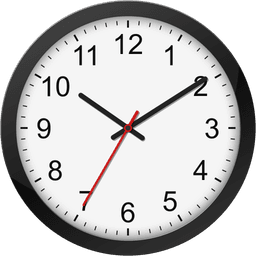
Screenshots
About Clock
Customize every detail of your clock display with full control over colors, number styles, and backgrounds. Whether you prefer a minimalist design or a personalized look, this highly adaptable timepiece adapts to your taste.
Resize the widget to fit any space on your home screen—from a compact corner clock to a bold centerpiece. Display more than just the time: add date information and real-time battery level monitoring at a glance. The smooth, optional second hand brings life to your display, and you can disable it for a cleaner aesthetic.
Manage multiple timezones simultaneously by placing separate widgets side by side, perfect for tracking time across different regions. Transform your lock screen with Clock as a live wallpaper, keeping time visible even when your device is locked. Complete control over appearance and functionality makes this the ideal choice for anyone seeking a personalized, practical timekeeping solution.
Pros & Cons
Pros
- Fully customizable colors, fonts, and backgrounds for personal style
- Resizable widgets fit any home screen space from compact to large
- Multiple timezone widgets let you track time across different regions
- Live wallpaper option keeps time visible on your lock screen
Cons
- Live wallpaper mode may increase battery drain on older devices
- Requires home screen and lock screen permissions for full functionality
- Limited to Android—no iOS or desktop companion version available
- Extensive customization options could overwhelm users seeking simplicity
Frequently asked questions about Clock
Is Clock safe to download?
The Clock file on Unstore was scanned for malware on May 20, 2026. The scan found no threats and gave it a risk score of 20/100 (lower is safer).
What are the system requirements for Clock?
Clock runs on Android. It requires Android 8.0 (Oreo) or later. The download size is 6.0 MB.
What is the latest version of Clock?
The latest version of Clock on Unstore is 1.5. It was last updated on May 22, 2026.
Who develops Clock?
Clock is developed by Egert.
Related Apps

AlienGUIse
Desktop themes and manager for Windows — transform your system with 5 futuristic designs.

SharpKeys
Remap keyboard keys to launch apps, media controls, and custom commands on Windows.

RocketDock
Desktop launcher for Windows — quick access dock with customizable icons and positioning.

Custom Resolution Utility (CRU)
Display resolution utility: Create custom resolutions for your monitor with precise refresh rate control.

Lagguy Wallpapers
Lagguy
4K & HD wallpapers for Android — minimal, abstract, nature, AMOLED designs with lifetime access

Lock Screen OS
Apps Genz
Customize your lock screen with widgets, photos, and notifications. Replace Android's default lock screen.
Latest Articles

Play a free Poly Bridge-style bridge builder in your browser (no download)
Nov 14, 2026

Play a free Balatro-style poker roguelike in your browser (no download)
Nov 14, 2026

GarageBand for Android or Chromebook? A free music studio in your browser
Nov 14, 2026

FlipaClip for PC or Chromebook? We built a free animation maker that runs in your browser
Nov 14, 2026

Play a free Color Ball Sort Puzzle-style game in your browser (no download)
Oct 6, 2026